

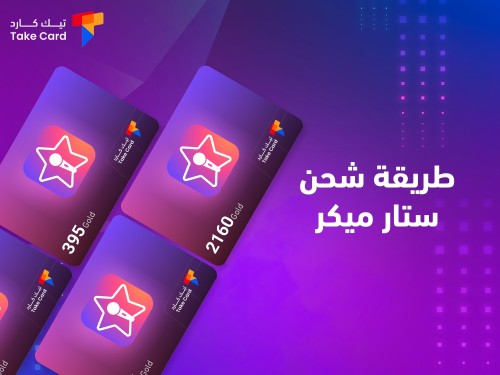
Do you want to know how to recharge Star Maker? But before you know how to recharge, we will take you on a quick tour to learn about the Star Maker program, which is called the Star Maker program or application. We have noticed recently the clear development of social media platforms.
Especially after the spread of smartphones, there has been greater interest in new applications that bring the talents of their subscribers to light and gather the largest number of fans and followers for them. However, there are some features and additions that you can get if you buy recharge cards, and we are here today to discuss with you how to recharge Star Maker in detail.
How do I charge a Starmaker?
Starmaker is a great application that has great popularity in the world. If you are looking for a way to recharge Starmaker in order to get more privileges and gain the admiration of a larger number of followers, then all you have to do is follow the Starmaker recharge method provided by the TechCard store. It is an easy method and its steps are simple.
Once you follow these steps, you will receive the value of the recharge card you specified. We will summarize the Star Maker recharge method in the following steps:
- First, log in to the TechCard website.
- Then choose the package you want.
- Then write the ID number in its designated box.
- Then add the package to your shopping cart.
- Then complete the payment process.
By following these steps, you will be able to get the package you have chosen immediately, but you should know that TechCard provides multiple categories of Star Maker recharge packages. For example, we mention the lowest package, which is the 396 Star Maker Coins package, which is the cheapest package and may be suitable for many people.
What are the features of the Star Maker program?
Now that we've learned how to top up StarMaker via the TechCard store, let's explore the features that StarMaker offers its users. It allows users to record their favorite songs using their phone's microphone. Users can choose from a wide selection of songs available on the app, including classic, popular, and new songs. Some of the benefits you get after topping up your StarMaker card include the following:
Once you follow the Star Maker charging method and receive the package value, you will be able to share the songs you have recorded with others via social media platforms such as Twitter, Facebook and Instagram. You can also share those songs with other Star Maker friends.
Get the best discounts from Techcard website Discount coupons The best brands.
Cooperation with others
The StarMaker app allows you to collaborate with others to record songs together, where you can invite other StarMaker friends to join your songs or join other users' songs.
Sound effects
StarMaker software offers a wide range of sound effects that you can add to your recorded songs. These sound effects include sound, echo, flanger, distortion, and delay. You will be able to get all of these things by simply following the StarMaker charging method and choosing the package you want.
Song editing
With the StarMaker recharge package , you will be able to edit your recorded songs using the audio editing tools included in the StarMaker software, which include audio editing, pasting, cutting, duplicating, and fading tools.
the society

The Starmaker app has a large percentage of users who communicate with each other worldwide, where you can follow other users, interact with them, and like their songs by writing comments on them.
You will benefit from all these features to the fullest extent once you subscribe to any of the packages offered by Tech Card Store, and we recommend to you the wonderful 2160 Star Maker Coins package .

How to use StarMaker software
To be able to run the Star Maker program, first download the application. To record a song, go to the program's home page, click on the "Record" button, and choose the song you want to record.
If you want to add sound effects after recording the song, click on the “Sound Effects” button on the program’s home page. If you want to edit the song you recorded, click on the “Edit Song” button on the application’s home page. After that, share the song with others by clicking on the “Share Song” button on the application’s home page.
By following the previous steps, you will be able to record the songs you prefer and share them with your friends and followers via various social media platforms. However, with the purchase of the 4051 Star Maker Coins package from TechCard, you will have many advantages that will give you a large number of followers worldwide.
Tips for using StarMaker software
During this section, we will give you some tips that will benefit you while using the Star Maker program. The first thing is to choose songs that you like and enjoy singing, because this will help you to give a better performance.
The second step is to practice singing before recording the song. Take enough time to practice singing it, because this will help you avoid mistakes and improve your performance.
The third step is to use a good microphone when recording a song, as this will improve the sound quality and produce a better song.
Add sound effects as they add a creative touch to your song, and they also help to hide flaws in your performance and make your songs more fun. One last tip: share your song with others immediately after you finish recording it. Share it with your Star Maker friends or via various social media platforms such as Instagram, Facebook, and Twitter.
We have previously discussed with you the method of charging Star Maker in full clarity. We have also reviewed with you the features of the Star Maker program, how to use it, and tips for using the Star Maker program. We have also recommended more than one package of Star Maker packages that Tech Card offers you at an incredible price.
Also read: What is the best way to top up your Jawaker account?